
The PC-free Roamer
“Hanok takes a load off your shoulders.”
Access your full computer safely from any machine—even a public one. Log in and find everything exactly as you left it. 100% safe access. Pure freedom.
Your private remote workspace — accessible from anywhere, no install required.
7 days free. Cancel anytime.
Need a remote Linux desktop you can open from any browser? Hanok gives you a personal cloud Linux desktop hosted in Europe. Log in, and your full remote workspace is there — apps, files, and session exactly as you left them.
Whether you travel, work from shared machines, or simply want a browser-based remote desktop that stays separate from your local computer, Hanok is built for simple, secure access.
In other words: a personal cloud desktop you use remotely. New to the idea? See our guide What is a Cloud Desktop? in Related guides below.
A private computer in your browser. Simple to start.
Pick a plan and start your free trial. No hardware to buy.
Your private computer runs in Europe. Open it from a modern browser on your computer or tablet.
Your desktop stays exactly as you left it. Private, and always there.
Try Hanok for 7 days, free. Cancel anytime.
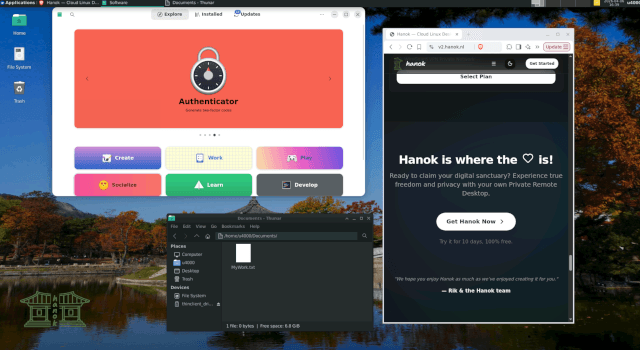
Light and simple. Good for everyday work.
Includes 7 days free
Hanok - Jeonju uses a lightweight desktop that keeps your remote computer quick, responsive, and easy to use. It is a practical choice for everyday browsing, writing, email, and focused work, with a familiar layout that stays out of your way.
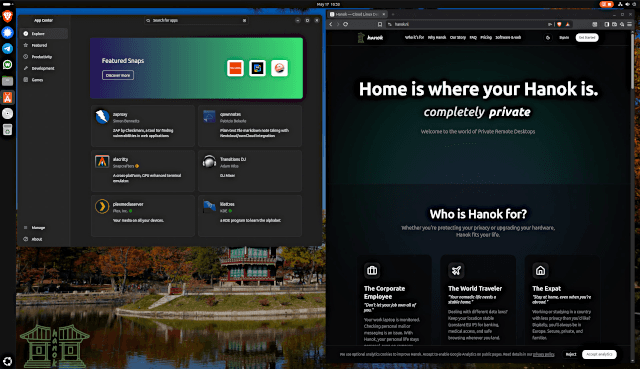 Higher tierTemporarily unavailable
A fuller desktop, if you want more room to work.
Includes 7 days free
Hanok Busan is the fuller desktop. More room for several things at once, without making the setup complicated.
A private Linux cloud desktop built for real-world remote work and personal privacy.
Open your remote Linux workstation from Chrome, Firefox, or Safari — no client software required to get started.
Your hosted Linux desktop runs in the cloud. Pick up where you left off from any device with an internet connection.
Your personal cloud desktop lives on EU infrastructure — a stable European cloud desktop for privacy-conscious users.
Open your Hanok desktop directly in your browser. No special software is required.
Your files and browsing stay on your remote desktop, not on the machine you connect from.
Start a free trial and get a secure Linux desktop without provisioning hardware or managing your own VM.
Hanok works especially well if you move between devices or locations and want one consistent remote Linux environment.
“Hanok takes a load off your shoulders.”
Access your full computer safely from any machine—even a public one. Log in and find everything exactly as you left it. 100% safe access. Pure freedom.
“Your nomadic life needs a stable home.”
Need a stable European location for banking, medical sites, and everyday browsing, no matter where you are?
Answers about remote linux desktop in your browser with Hanok.
Practical articles to help you get started with Hanok.
A cloud desktop is a full desktop environment hosted on remote servers that you access from your own device. Learn how it works, who uses it, and how it differs from a local PC or shared remote desktop.
Using a work laptop for personal things? Learn why managed devices aren't private and how a personal cloud desktop separates work and personal use.
Explore other ways Hanok fits your cloud desktop needs.
Get a personal cloud Linux desktop hosted in Europe. Access your private workspace from your browser with simple, secure remote access.
A second Linux desktop in the cloud for personal email, side projects, and browsing — separate from your daily computer, hosted in Europe.
European desktop-as-a-service for individuals. Private Linux cloud desktops hosted in the EU with simple browser access.
Ready to claim your digital sanctuary? Experience true freedom and privacy with your own private cloud desktop.
7 days free. Cancel anytime.