
The Linux Tinkerer
“Hanok takes a load off your mind.”
Want to learn Linux in a safe, closed-off environment? Tinker away on any machine with no install needed and zero risk to your local system.
Learn Linux in a safe, hosted sandbox — from any computer.
7 days free. Cancel anytime.
Learning Linux on your only laptop can be risky — one wrong command and your coursework machine is broken. A Linux VM for students gives you a separate environment to practice, experiment, and complete assignments.
Hanok provides a hosted Linux desktop you open in your browser. Tinker with terminals, install tools, and explore without touching your school or personal machine.
A private computer in your browser. Simple to start.
Pick a plan and start your free trial. No hardware to buy.
Your private computer runs in Europe. Open it from a modern browser on your computer or tablet.
Your desktop stays exactly as you left it. Private, and always there.
Try Hanok for 7 days, free. Cancel anytime.
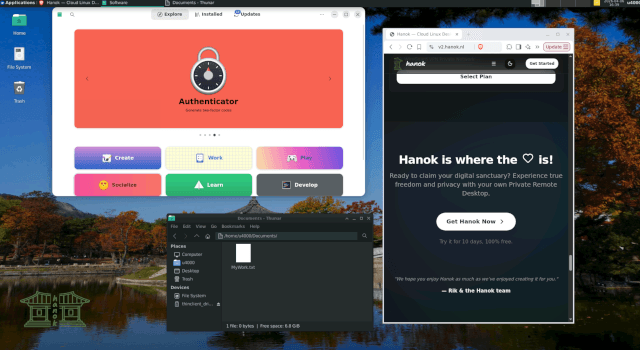
Light and simple. Good for everyday work.
Includes 7 days free
Hanok - Jeonju uses a lightweight desktop that keeps your remote computer quick, responsive, and easy to use. It is a practical choice for everyday browsing, writing, email, and focused work, with a familiar layout that stays out of your way.
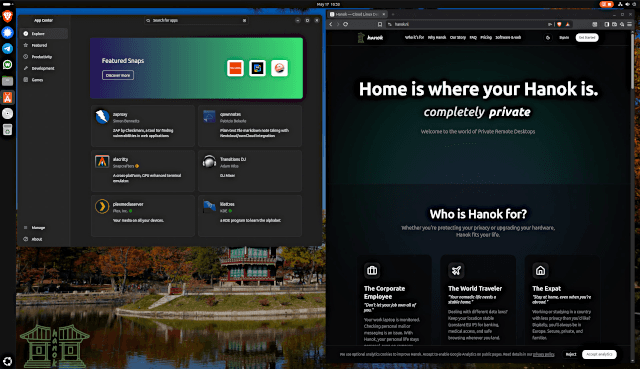 Higher tierTemporarily unavailable
A fuller desktop, if you want more room to work.
Includes 7 days free
Hanok Busan is the fuller desktop. More room for several things at once, without making the setup complicated.
A private Linux cloud desktop built for real-world remote work and personal privacy.
Break things, reinstall tools, and learn by doing — your local computer stays untouched.
No dual-boot or local VM setup. Open your student Linux environment from any lab PC, library machine, or chromebook.
Your Linux VM persists between sessions. Save projects on the hosted desktop and continue from anywhere.
Run compilers, shells, and dev tools on a capable hosted machine even if your laptop is underpowered.
Start with a 7-day free trial. Hanok is priced for individuals, not enterprise budgets.
Use university or library computers without leaving personal files behind — everything stays on your remote Linux VM.
Whether you are learning the command line for the first time or need a reliable Linux environment for projects, Hanok gives you room to experiment.
“Hanok takes a load off your mind.”
Want to learn Linux in a safe, closed-off environment? Tinker away on any machine with no install needed and zero risk to your local system.
“Make a cheap laptop feel like a proper computer.”
Can't afford a powerful computer? Turn a cheap netbook or chromebook into a fast, productive system by letting Hanok do the heavy lifting.
Answers about linux vm for students with Hanok.
Explore other ways Hanok fits your cloud desktop needs.
Use a private remote Linux desktop from your browser. Hanok provides hosted Linux desktops in Europe for privacy, portability, and secure remote work.
Get a personal cloud Linux desktop hosted in Europe. Access your private workspace from your browser with simple, secure remote access.
A second Linux desktop in the cloud for personal email, side projects, and browsing — separate from your daily computer, hosted in Europe.
Ready to claim your digital sanctuary? Experience true freedom and privacy with your own private cloud desktop.
7 days free. Cancel anytime.