
Private Desktop on Your Work Laptop

Company hardware for work. Hanok for everything personal.

Employer laptops often ship with monitoring, MDM, or policies that make personal email, messaging, and banking feel risky on the same machine. You still need that access during the workday — just not on hardware your company controls.

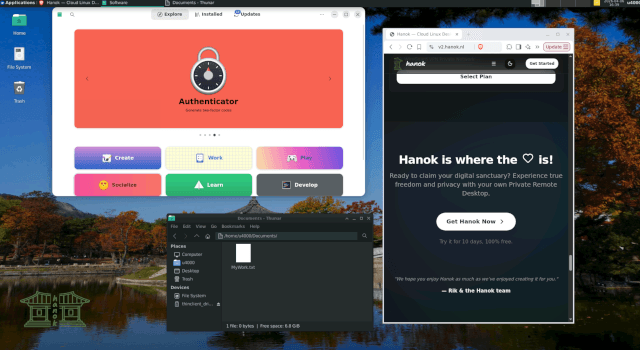
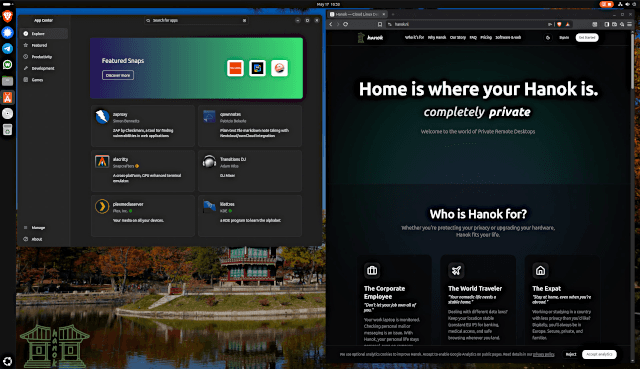
Hanok gives you a private cloud desktop in the browser. Personal tabs, files, and apps live on a hosted Linux desktop in Europe — not on your work laptop's disk, browser profiles, or sync folders. No install, no admin rights required.

How Hanok works

A private Linux cloud desktop in your browser — simple to start, secure by design.

  1. Choose a Hanok desktop

    Pick a plan and start your free trial — no hardware to buy or install.

  2. Log in from your browser

    Open your private Linux desktop from any device with a modern web browser.

  3. Use a desktop hosted in Europe

    Your files, apps, and session live on a secure cloud Linux desktop in the EU.

  4. Connect through WireGuard if you want

    Optionally use WireGuard-secured access for a native remote desktop experience.

  5. Pick up where you left off

    Your remote workspace stays exactly as you left it — private and always available.

Why choose Hanok

A private Linux cloud desktop built for real-world remote work and personal privacy.

  • Built for company-managed laptops

    Designed for the constraint of locked-down work hardware — browser-only access, no local install, personal data never written to employer storage.

  • Thin client, not a local footprint

    Use the work machine as a screen and keyboard. Personal browsing and files stay on Hanok's remote desktop, not in work browser history or Downloads.

  • No admin rights needed

    IT policies often block VirtualBox, VPN clients, or USB tools. Hanok needs only a browser tab and your login.

  • Separate from work browser profiles

    Personal email and messaging happen inside Hanok — not in Chrome profiles, Outlook, or synced work accounts.

  • Founder-built for this use case

    Hanok was originally created because the founder needed personal privacy on a corporate laptop with security software.

  • EU-hosted personal space

    Your private workspace runs on European infrastructure, isolated from other users.

The use case Hanok was built for

Corporate employees use Hanok when the only computer available is a monitored work machine — and personal life still needs a private place.

The Corporate Employee

Don't let your job own all of you.

Your work laptop is monitored. Checking personal mail or messaging is an issue. With Hanok, your personal life stays personal, even on company hardware.

The founder developed Hanok for this exact reason!

Common questions

Answers about private desktop on your work laptop with Hanok.

Is it safe to use Hanok on a work laptop?
Hanok keeps personal activity on a remote hosted desktop accessed through your browser. It does not install software on your work machine. Always follow your employer's acceptable use policies.
Will my employer see my personal Hanok activity?
Your Hanok session runs on remote infrastructure. Personal files and browsing stay on your hosted desktop, not on local work storage. Network monitoring policies vary by employer.
Can I check personal email on my work laptop privately?
Many users open Hanok in the browser and handle personal email, messaging, and banking on the remote desktop — keeping it separate from work browser profiles and local data.
I don't have a work laptop — is this page for me?
Probably not. This page is specifically for company-managed hardware. If you want a general personal cloud desktop for travel, shared PCs, or side projects, see our private remote desktop page instead.

Simple, Transparent Pricing

Try Hanok for 10 days, absolutely free. Cancel at any time.

Hanok - Jeonju desktop preview
Hanok - Jeonju

Lightweight and modular, perfect for remote work.

€9.95/mo

Includes 10 days free

Hanok - Jeonju uses a lightweight desktop that keeps your remote computer quick, responsive, and easy to use. It is a practical choice for everyday browsing, writing, email, and focused work, with a familiar layout that stays out of your way.

CPU

1 vCores

Memory

4GB

  • Browser-based desktop access
  • Private WireGuard network
  • Hosted in Europe
  • Unlimited use
Hanok - Busan desktop preview
Higher tier
Hanok - Busan

Feature-rich and beautiful, highly customizable experience.

€14.99/mo

Includes 10 days free

Hanok - Busan gives you a modern cloud workstation built for focused computing, multitasking, and everyday productivity. It offers a polished, capable desktop experience for users who want more room to work without adding complexity.

CPU

2 vCores

Memory

4GB

  • Browser-based desktop access
  • Private WireGuard network
  • Hosted in Europe
  • Unlimited use

Home is where your Hanok is

Ready to claim your digital sanctuary? Experience true freedom and privacy with your own Private Remote Desktop.

Try it for 10 days, 100% free.